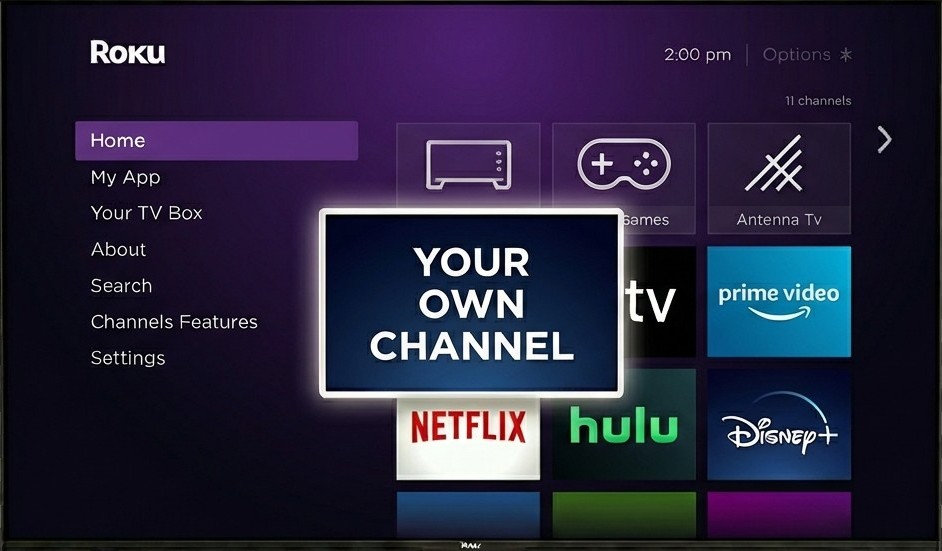
Launch Your Own Roku Channel

Tap into 85+ million active households and 4+ hours of daily streaming time per user. With cord-cutting accelerating rapidly, Roku offers unmatched reach, flexible monetization through ads or subscriptions, and positions your brand alongside streaming giants — all without the cost of traditional TV distribution.

Your Own Roku Channel

What is OTTdash Roku Channel Builder

A complete no-code solution to launch your streaming channel on Roku.

OTTdash Roku Channel Builder is a no-code Roku app creator that enables content creators, businesses, and media companies to create, launch, and manage their own branded Roku channels without any programming knowledge. Starting at $49/month, OTTdash handles the entire process including app development, Roku certification, video encoding, CDN delivery, and ongoing maintenance. The platform supports VOD (Video-on-Demand) with built-in monetization options including AVOD (ads) and SVOD (subscriptions).

Key Facts

  • Price: from $49/month (Essential); $99/month (Growth); tailored pricing (Enterprise)
  • Free trial: 7 days on Essential and Growth
  • Launch time: ready for submission within days; Roku certification typically takes 2-3 business days
  • What you need: your videos, a logo and splash screen, and a free Roku developer account
  • Included: channel build, Roku certification submission, video encoding, CDN delivery and ongoing updates
  • Monetization: AVOD (ads) and SVOD (subscriptions)
  • Also available: Fire TV app builder on Growth and Enterprise plans

Last updated: October 6, 2026

Why Choose OTTdash for Roku

Everything you need to build and scale your streaming presence on Roku.

No-Code Roku Channel Maker

Create a professional Roku channel without writing a single line of code. Our intuitive platform handles all the technical complexity for you.

Versatile Streaming Options

Stream movies, TV shows with seasons and episodes, and short-form videos on demand. Deliver your content exactly the way your audience wants it.

Self-Service Dashboard

Take full control of your Roku channel with our powerful management dashboard. Update content, track performance, and manage everything in one place.

How to Create a Roku Channel in 3 Steps

We've simplified the onboarding process so you can launch faster.

1

Create Your Account

Sign up for OTTdash and select your preferred plan. Get instant access to your dashboard and start setting up your channel.

2

Upload Your Content

Add your branding assets, logos, and video content. Our platform handles encoding, optimization, and delivery automatically.

3

Grant Channel Access

Provide your Roku developer account access, and we'll handle the channel submission and certification process for you.

We Handle the Rest

From channel certification to ongoing maintenance, our team ensures your Roku channel stays live and performing at its best.

Start Your Free Trial

Frequently Asked Questions

Find answers to common questions about launching your Roku channel.

With OTTdash, your Roku channel can be ready for submission within days. The Roku certification process typically takes 2-3 business days, depending on their review queue. We handle the entire submission process to ensure a smooth approval.

No technical expertise is required. OTTdash provides a completely no-code solution. Simply upload your content and branding assets, and our platform takes care of all the technical aspects including app development, encoding, and deployment.

OTTdash supports multiple content formats including Video-on-Demand (movies, short-form videos, and TV shows with seasons and episodes).

OTTdash offers multiple monetization options including AVOD (ad-supported with pre-roll and mid-roll ads), SVOD (subscription-based access), and hybrid models. You can integrate your own ad providers or use our built-in solutions to generate revenue.

OTTdash manages all technical updates and platform maintenance. When Roku releases new requirements or updates, we ensure your channel remains compliant. You focus on your content while we handle the technical operations.

To launch your Roku channel, you'll need: your video content, branding assets (logo, splash screen), and a Roku developer account (free to create). OTTdash guides you through the entire setup process with step-by-step instructions.

OTTdash offers plans starting at $49/month (Essential), $99/month (Growth), and tailored pricing (Enterprise). All plans include Roku channel support, adaptive streaming, enterprise-level CDN, and end-to-end encryption. Essential and Growth come with a free trial so you can test the platform before committing.

Storage starts at 250GB (Essential) and 500GB (Growth), with custom allowances on Enterprise. Watch time allowances are 1,250 hours (Essential) and 2,500 hours (Growth) per month, with custom allowances on Enterprise. Additional storage is available at $0.045-$0.047/GB and extra watch time at $0.052-$0.053/hour, with negotiated rates on Enterprise if you exceed your limits.

Yes, all OTTdash plans include comprehensive app analytics. You'll get daily, monthly, and yearly reports to monitor your Roku channel's performance, including viewer engagement, watch time metrics, and content popularity. This data helps you make informed decisions about your content strategy.

Creating a Roku developer account is free, and OTTdash includes a 7-day free trial on the Essential and Growth plans, so you can build and test your channel before you pay. After the trial, plans start at $49/month.

No. OTTdash replaces the Roku developer: we build the channel, submit it for Roku certification and keep it updated when Roku changes its requirements. You only upload your videos and branding.

Ready to Launch Your Roku Channel?

Have questions? Our team is here to help.

Say hi to support@ottdash.com
or call us at +1 (680) OTT-DASH